NexFrame: Create Short AI-Animated Videos from Photos
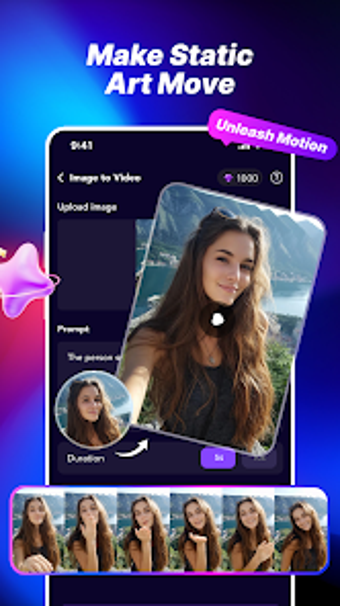
NexFrame: AI Video Maker from Psk extra turns still photos into short cinematic clips for quick social sharing. The app converts a single image into a dynamic video by uploading a photo, selecting a style, and tapping generate, using AI to automate animation. It offers a library of motion templates and one-tap generation to produce social-ready output. NexFrame targets social media enthusiasts, digital hobbyists, and casual creators who want fast, mobile-first visual posts.
What a single photo can become with NexFrame
NexFrame converts one still image into a short motion clip using an AI-driven image-to-video process. The app applies subject-specific animation models so motion better matches the subject matter, and it is designed to handle common hobbyist content. Typical photo categories supported include:
- Portraits and selfies
- Pet photos
- Landscapes and digital artwork
Are results fast enough for repeatable mobile posting?
The engine generates dynamic motion videos from static images in just a few seconds, and the workflow focuses on speed and low processing overhead for phones. A one-tap generation path reduces manual steps, which makes it practical to create several clips in a short session when preparing material for social feeds or story posts.
Does NexFrame fit into a mobile sharing workflow?
The app is available for Android and includes integrated sharing options to post directly to Instagram, TikTok, and WhatsApp, producing output intended for short-form platforms. The developer notes that a standard modern Android OS is required for stable AI processing, which frames the tool as phone-first for on-the-go publishing rather than a desktop editing solution.
Is the app approachable for hobbyists and casual creators?
The interface requires no prior editing skills, guiding users through upload and template selection in a few taps so non‑technical creators can use it. The developer keeps the template library refreshed to match social trends, and specialized motion models reduce the need for manual tweaking, making the app suitable for weekend hobbyists, social posters, and casual content creators.
To sum up, NexFrame is a practical pick for quick mobile clips
To sum up, NexFrame is a compact creative companion for social media enthusiasts and hobbyists who want rapid, mobile-first animated clips from phone images; its automated workflow emphasizes speed and repeatability rather than deep manual control. Pro tip: produce several related clips in one session to build a themed series ready for posting and consistent feed presentation.